

Get quotes from suppliers in 3 steps
HomeGet quotes from suppliers in 3 steps

Request A Custom Quote In 3 EASY Steps
Looking to get a custom quote from suppliers? Use the RFQ function!
You will be able to order at B2B prices after suppliers have added you as a member into their wholesale groups. Here are the steps.
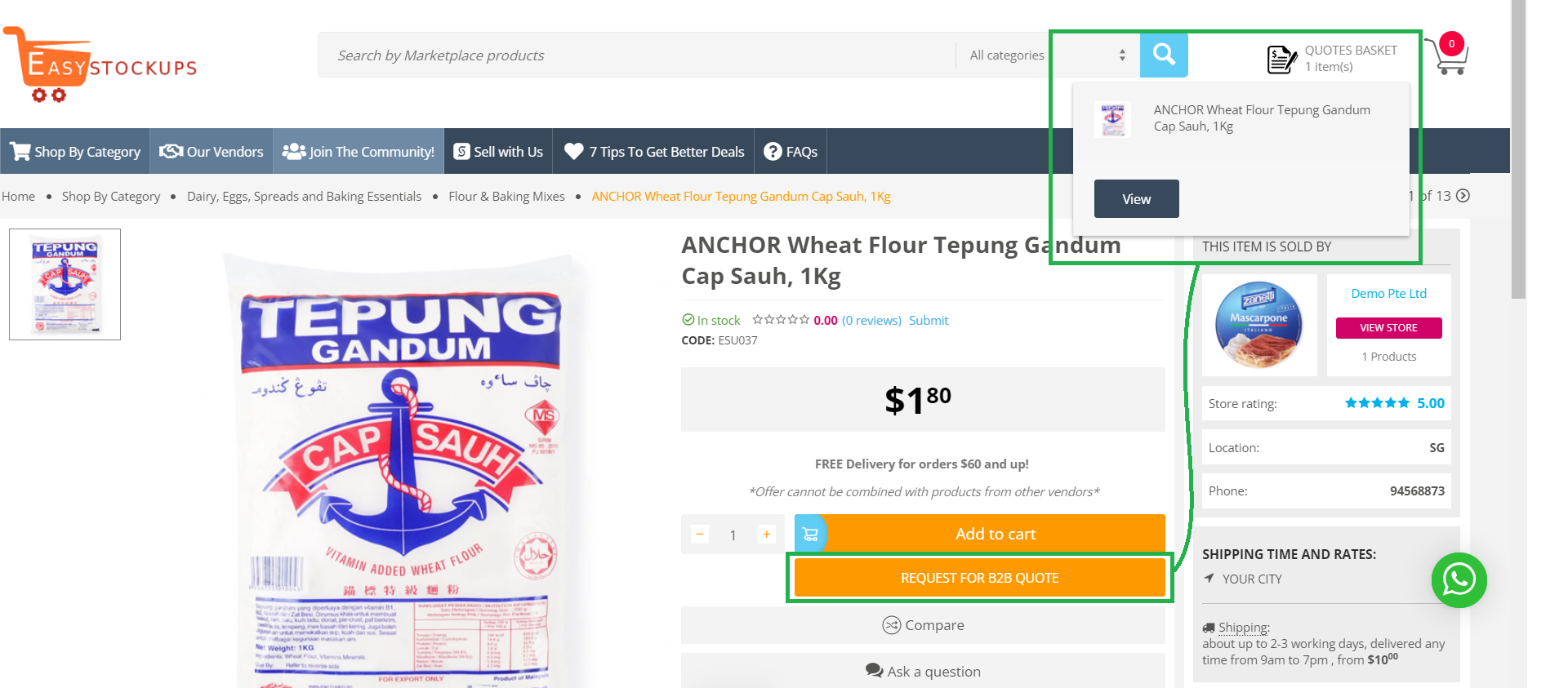
Step 1: Click on the "Request For B2B Quote" button to add products for enquiry to your quote basket.
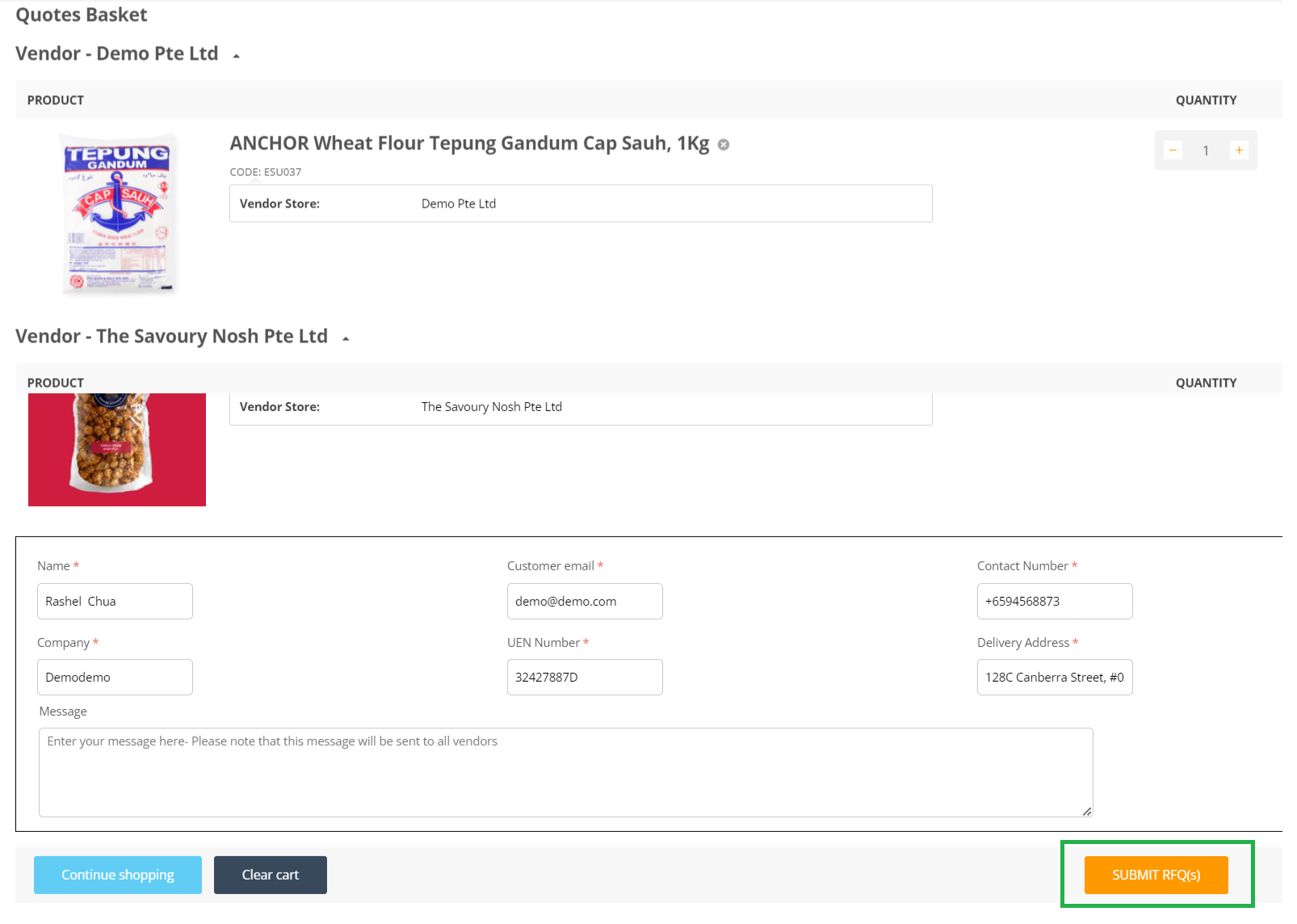
Step 2: Fill in your details, and your requirements in the enquiry form before sending out the RFQs to ALL suppliers in one click.
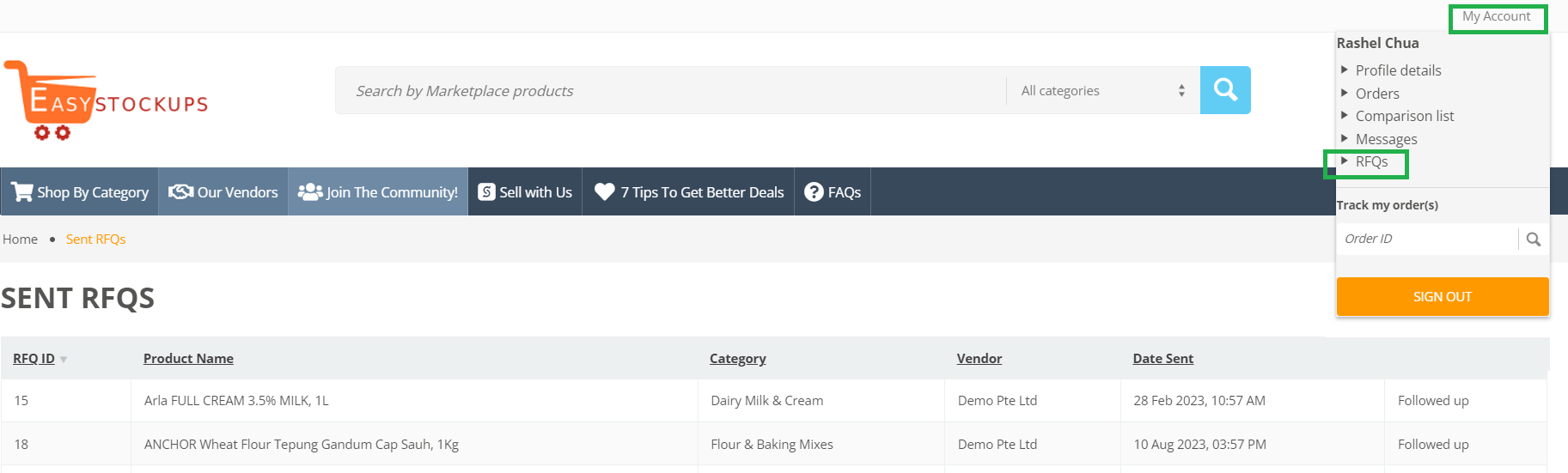
Step 3: Wait for suppliers to contact you. You will be able to order at B2B prices after your account has been added into their B2B/wholesale buyers group (you have to logged in to see these prices). You can also easily check which products you have requested quotes for in the RFQs page.
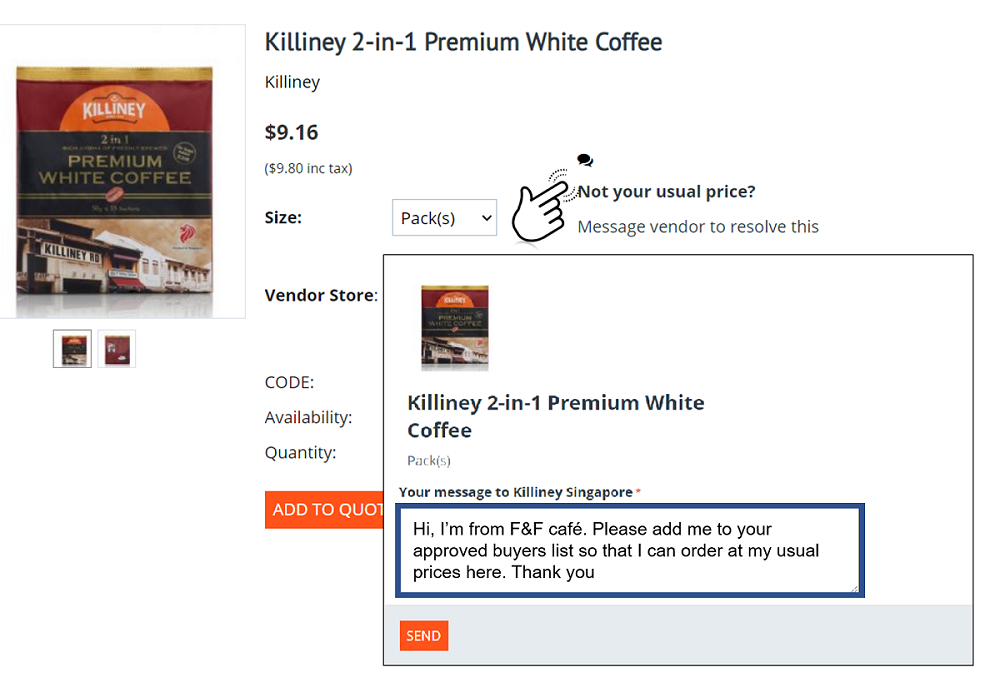
Want to order from your usual suppliers, but don't see your usual prices?
Contact the vendor directly, and ask to be added to their B2B/Wholesale buyers group. After your account has been approved by the vendor, you will be able to easily order supplies online at your usual business prices!
My account
About us
© 2026 EasyStockUps Pte. Ltd.